System design diagrams
System design is the case nested diagrams were built for. The top board stays readable as a handful of services, and each service opens into the board that explains it. Use these as study material for interviews, or as the starting point for documenting your own system.
 System design
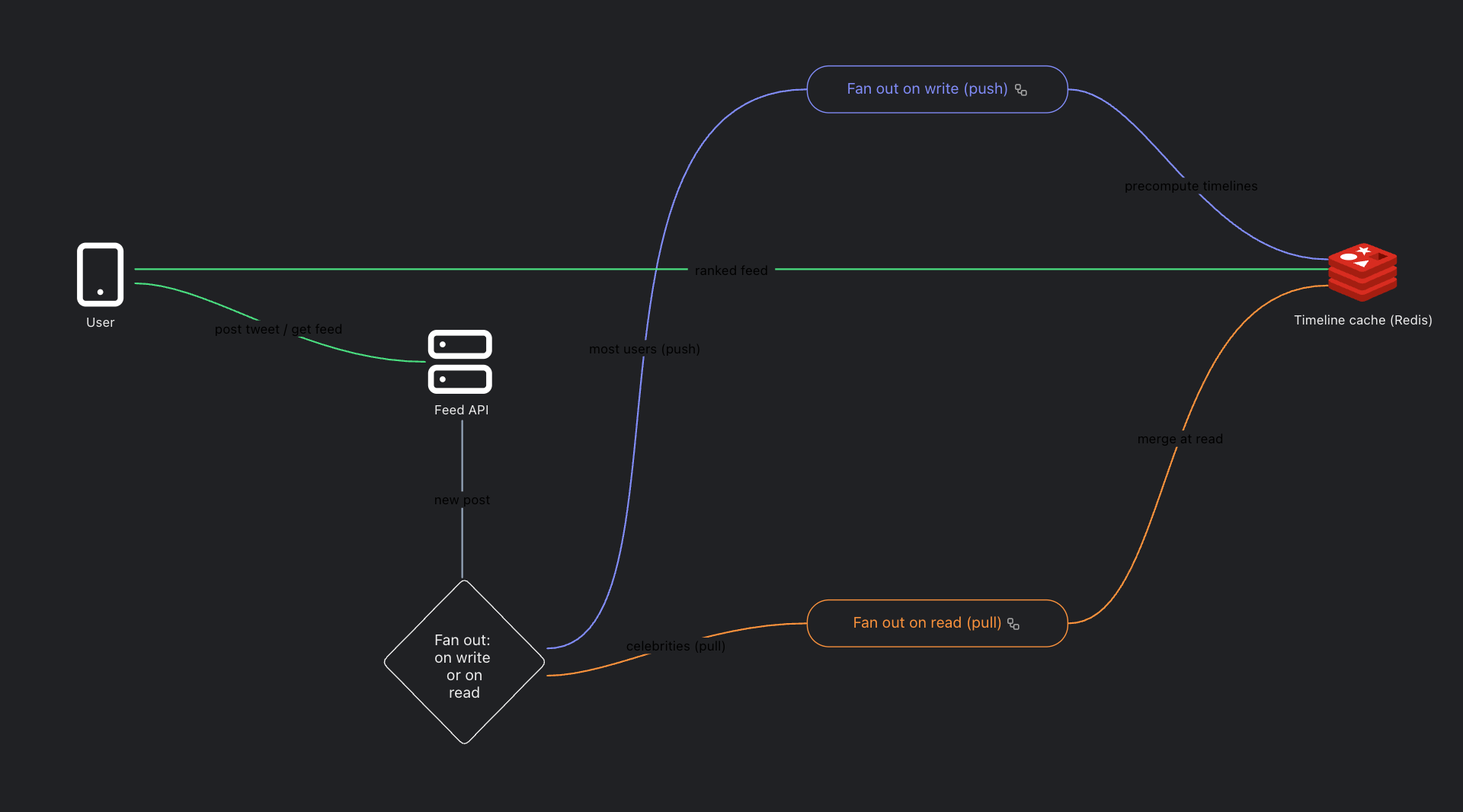
Designing the Twitter Feed
News feed design: fan out on write versus fan out on read, timeline caching, and ranking. The core social feed interview problem, drawn clearly.
 @lucassysd013
 System design
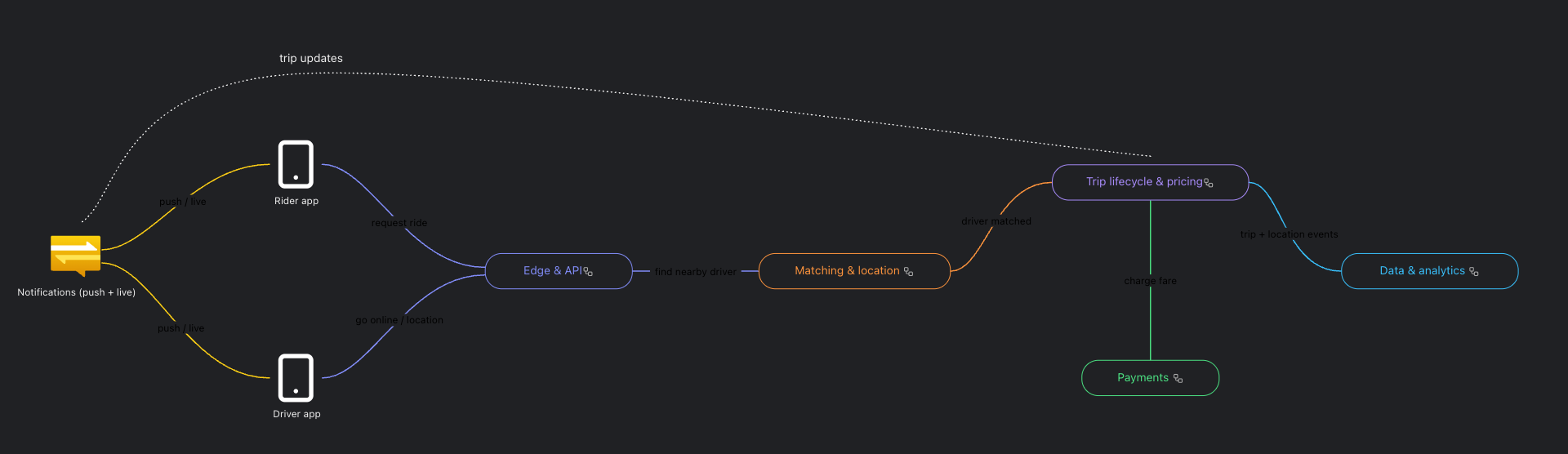
Design a Ride Hailing Service (like Uber)
How ride hailing works behind the scenes on Azure: rider and driver apps, API gateway, a matching service with a Redis geo index, trip lifecycle with Cosmos DB and Azure Maps for ETA, surge pricing, payments, and an Event Hubs to Synapse analytics pipeline. Two levels: open each container to see the detail.
 @nadiabuilds012
 System design
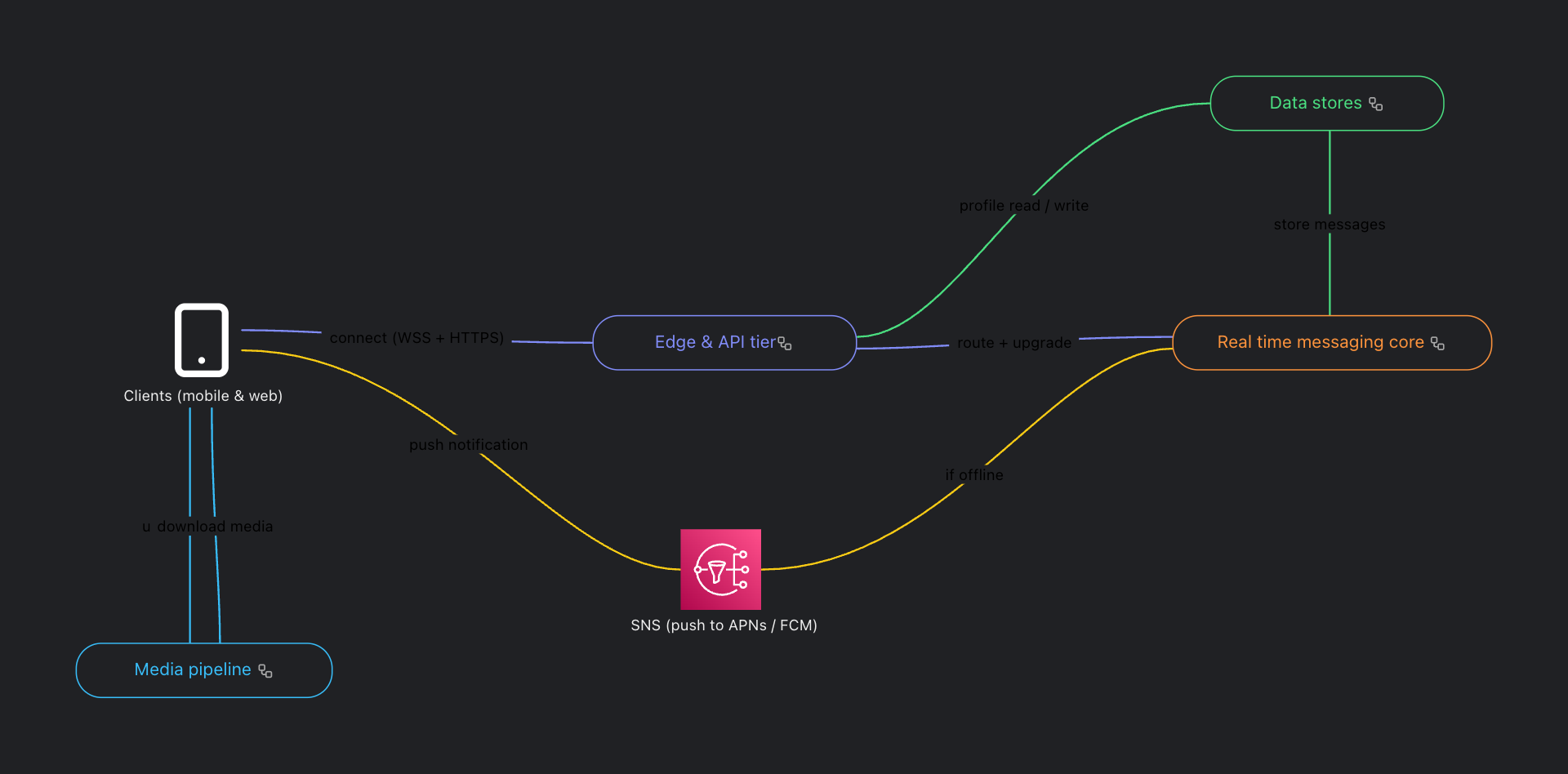
Design a Chat System (like WhatsApp)
How a WhatsApp style chat system works on AWS: WebSocket chat servers, a Kafka message queue, presence, a Cassandra message store, offline push through SNS, and an S3 plus CloudFront media pipeline. Two levels: open each container to see the detail.
@nadiabuilds09Browse by kind of diagram
Flowcharts
Browse real flowcharts made with Gramit. Open any one of them in the editor, change it, and keep it. Free, no account needed.
Software architecture diagrams
Software architecture diagrams with real depth: every component opens into its own board. Free to open and edit.
Cloud and infrastructure diagrams
Cloud architecture and infrastructure diagrams you can open and edit for free. AWS, networking, deployment topologies and more.
Artificial Intelligence diagrams
Artificial intelligence, LLM, AI agent, and machine learning diagrams you can open, edit and export. Free, no account needed.
Network diagrams
Network topology diagrams you can open, edit and export for free. No account, no signup wall.
Mind maps
Mind maps you can open and edit for free. Branches can nest as deep as your thinking goes.
Org charts
Organisation charts you can open, edit and export for free. No account needed.
Nothing here quite right? Start from an empty board.