
a whiteboard for systems with insides
Diagrams,
all the way
down.
Gramit is a free whiteboard where any node can open into its own board. Sketch the big picture, then step inside it and keep drawing — one level down, as deep as the system goes.
free · no sign-up
boards save in your browser
01·community
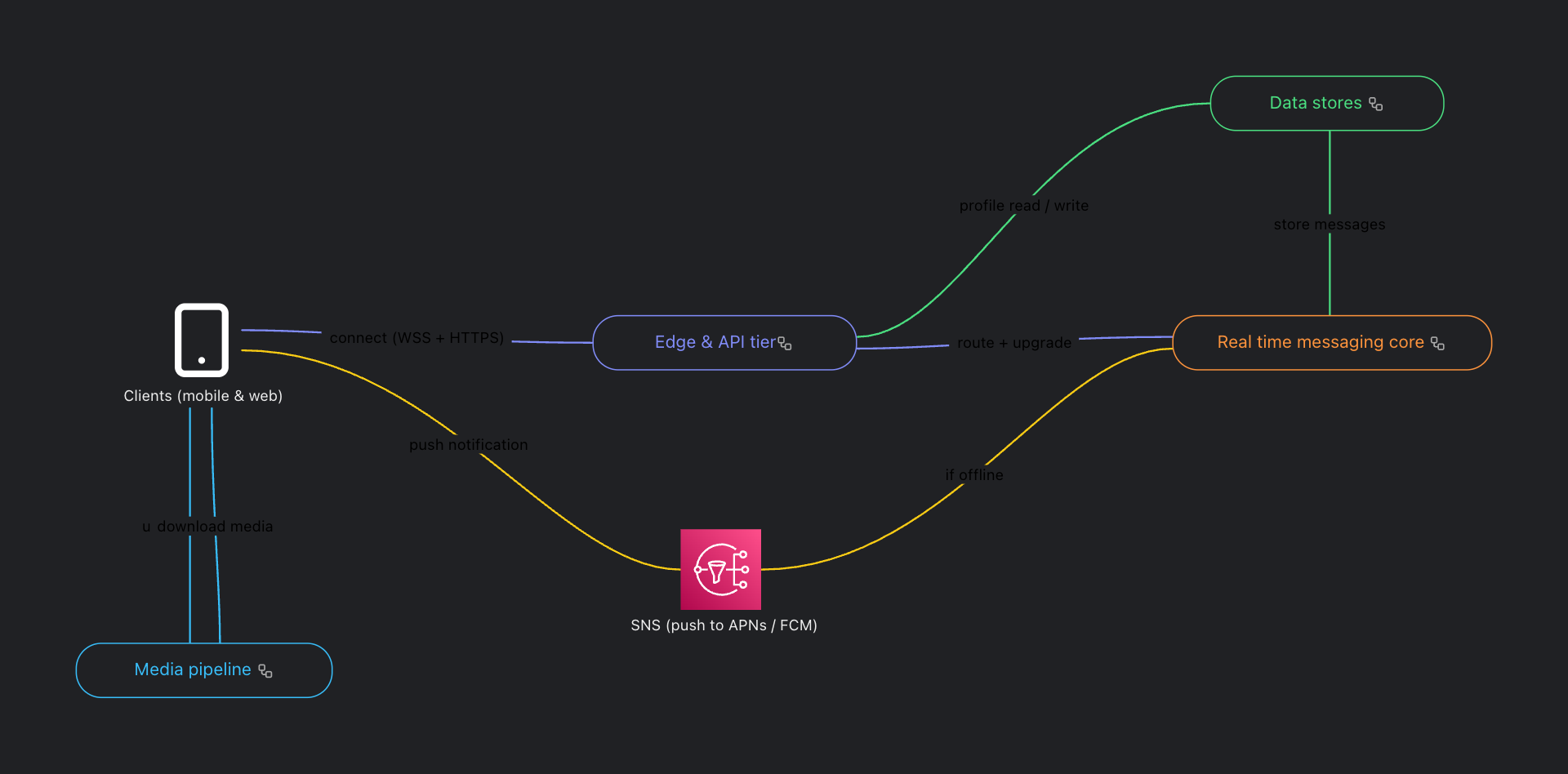
Built with Gramit.
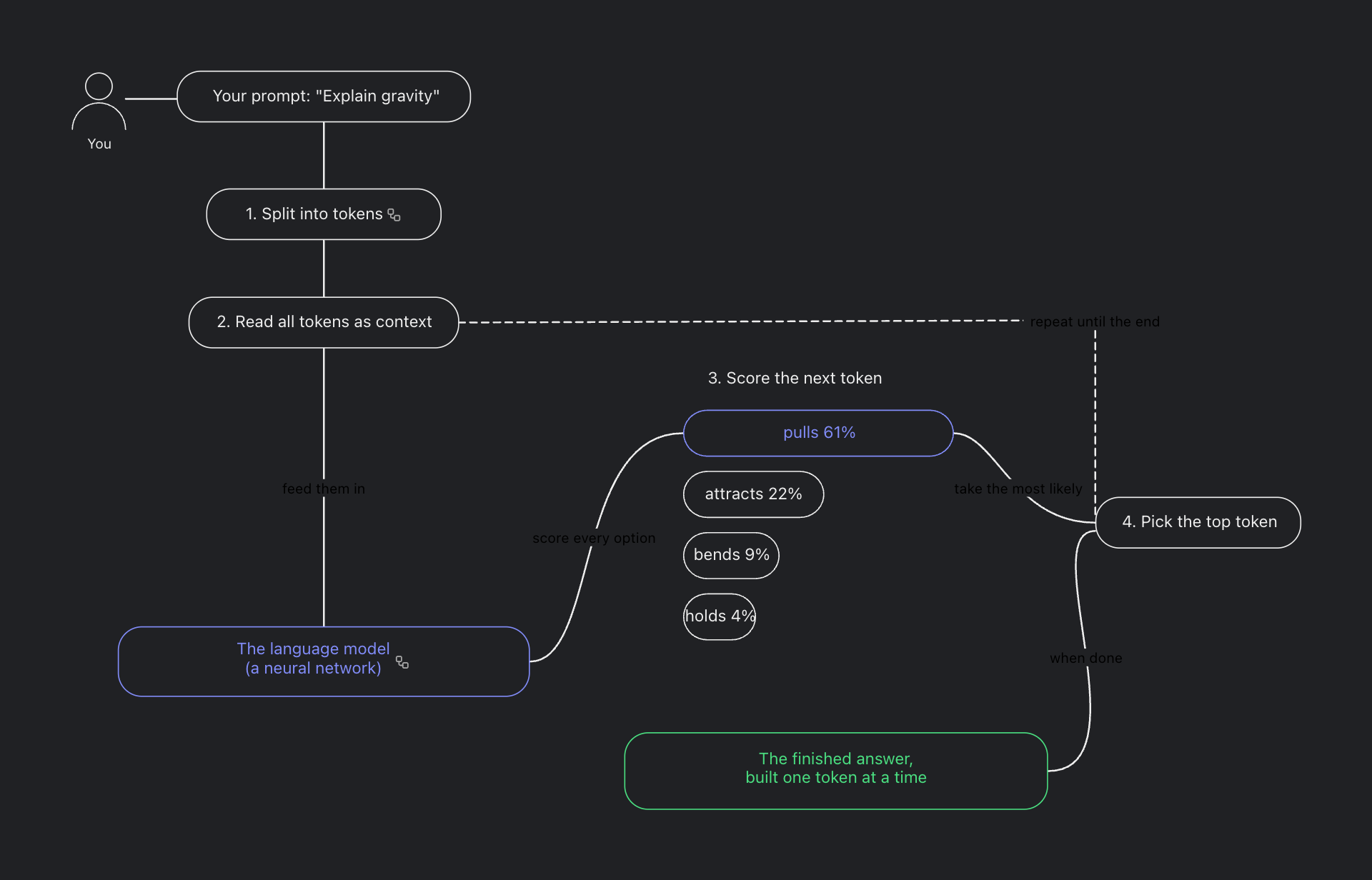

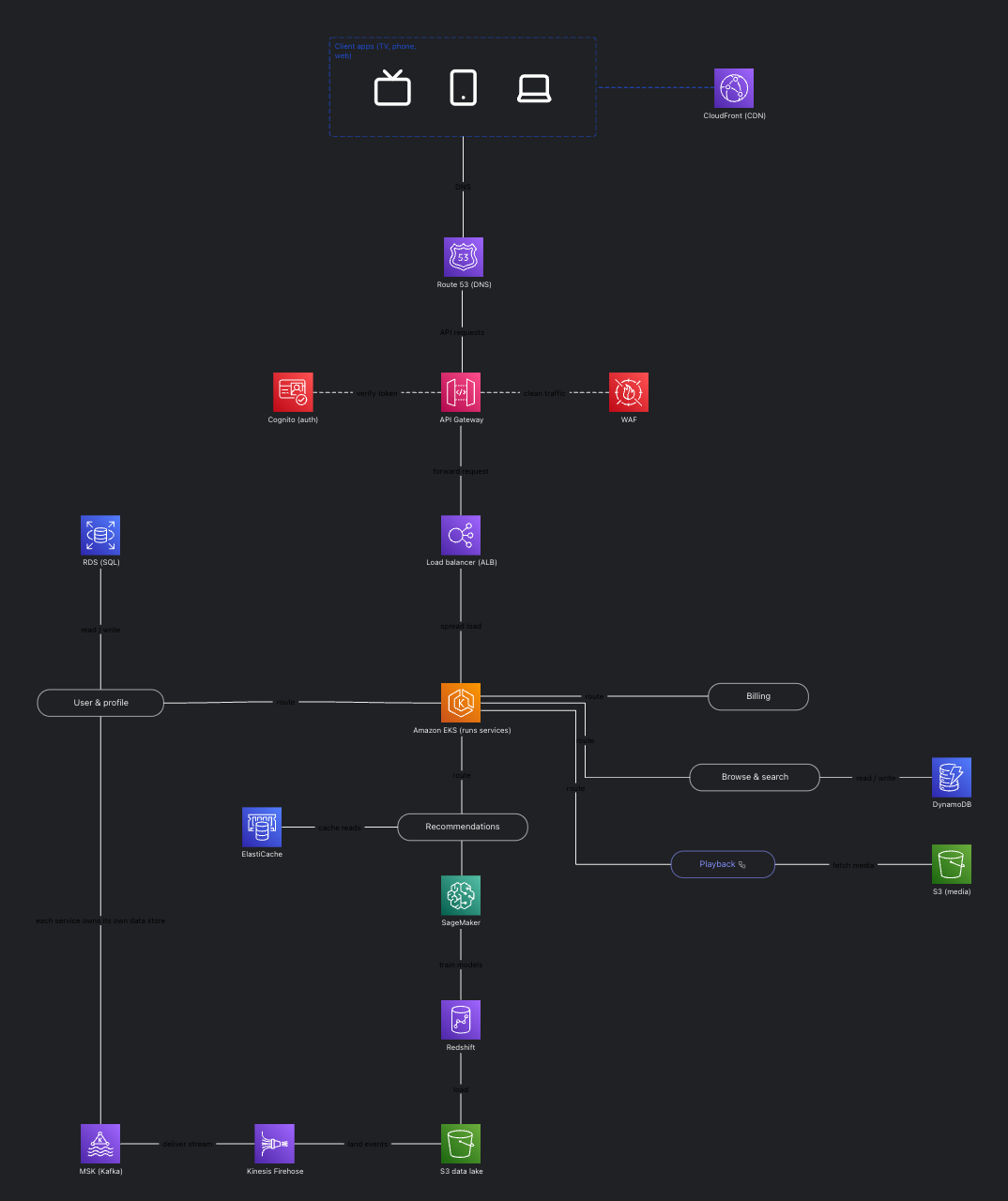

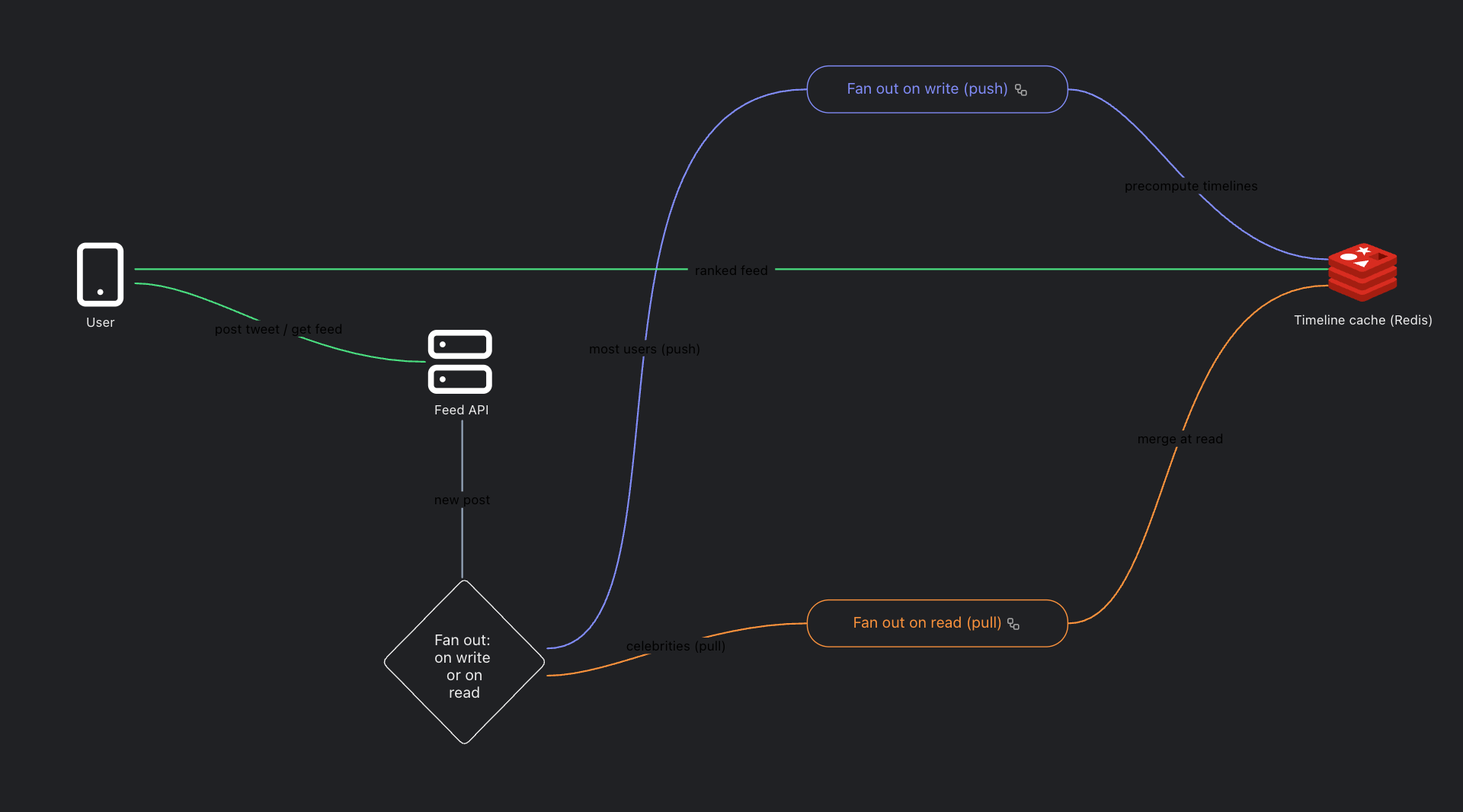

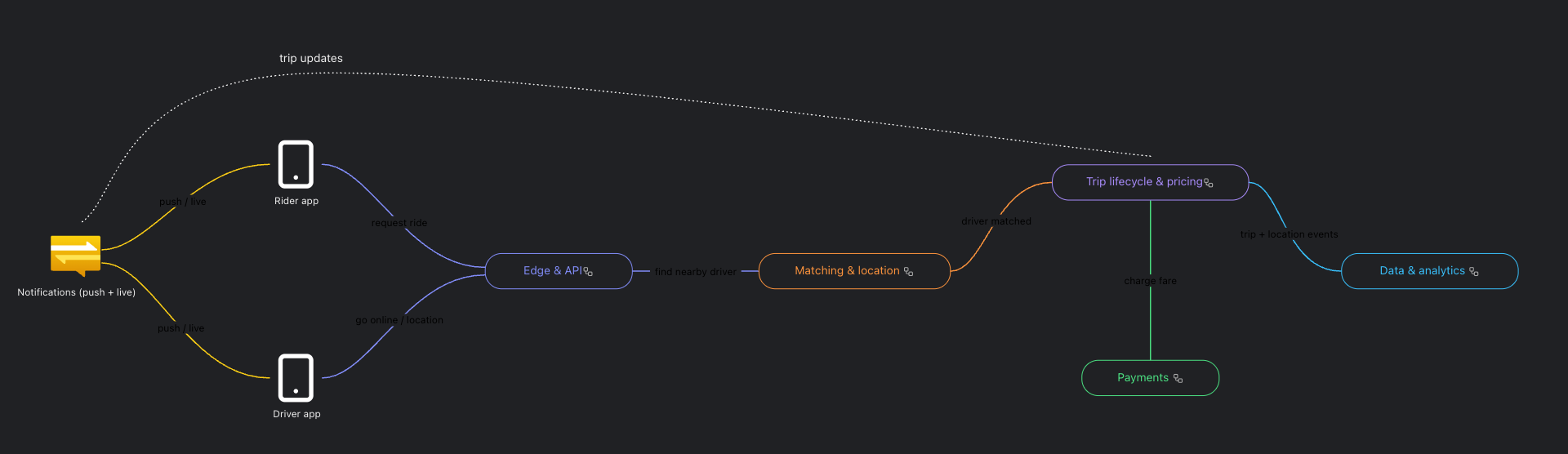

02·depth
Every node opens.
A service is a box — until you need what’s inside it. In Gramit, any node can hold a whole board of its own: step in for the detail, climb back out for the big picture. One document, every altitude. Try the miniature below.
Level 1 of 3: Acme checkout
03·code to diagram
The diagram is also code.
Every board speaks YAML. Describe nodes, edges and subflows in the side panel and the canvas draws itself — or sketch by hand and read it back as tidy YAML. Diff it, review it, generate it.
template:name: Checkoutstyle: cleanroot:nodes:- name: Customertype: person- name: Storefront- name: Paymentssubflow: paymentsedges:- from: Customerto: Storefront- from: Storefrontto: Paymentstext: checkoutpayments:nodes:- name: Gateway- name: Vaultedges:- from: Gatewayto: Vault
04·any ai
Your AI already speaks it.
There’s a spec written for machines. Paste it into ChatGPT, Claude, Copilot — whichever assistant is already open — describe your system, and it answers in valid Gramit YAML. Drop that on the board and it draws. Every AI, everywhere, day one.
Read the AI specRead this spec, then draw my checkout flow — payments gets its own subflow.
Here you go — paste it into Code to Diagram:
root:nodes:- name: Cart- name: Paymentssubflow: paymentsedges:- from: Cartto: Paymentspayments:nodes:- name: Charge- name: Retry
— any assistant, anywhere · no plugin, no api key —
05·character
Ruler-straight.
Or hand-drawn.
Two profiles ship with every board. Architect stays crisp enough for a design review; Handmade loosens the strokes, rounds the corners, and even changes the lettering to its own hand. Drag the divider and pick your character.
the cast · hover a shape for its sketchy twin
06·yours
Local first. Online when you want.
In your browser
Signed out, boards save to your browser's own storage — close the tab and they're still here tomorrow. Nothing leaves your machine.
In your account
Sign in when you're ready and your boards live online instead — organized in one place, on every device, shareable with a link.
End to end encrypted
Boards saved to your account are encrypted before they leave your device. Not even we can read them.
Free either way
The free board is the product, not the trial. Draw as much as you like, as deep as you like.
speaks fluent keyboard
07·questions
The things people ask first.
What is Gramit?
Gramit is a free diagram editor and whiteboard that runs in your browser. You can draw flowcharts, system architecture, network maps, entity relationship diagrams, mind maps and org charts on it. Its one structural difference from other whiteboards is that any node can open into its own diagram, so a board can have real depth instead of being one flat picture.
Is Gramit free?
Yes. The editor is free to use, with no board limit and no trial that expires. You can open it and start drawing without paying and without creating an account.
Do I need an account to use it?
No. Signed out, boards save to your own browser and stay there. An account only adds sync across devices, publishing to the public gallery, and boards that follow you to another machine.
What are nested diagrams?
A nested diagram is a node that contains a whole diagram of its own. Instead of cramming a system onto one canvas or splitting it across files that do not know about each other, you draw the overview once and open any box to see what is inside it. It is the natural shape for system design, software architecture and the C4 model.
How is Gramit different from Excalidraw, draw.io or Miro?
Those tools all give you one flat canvas per drawing. Gramit gives you depth, since every node can open into its own board, and boards can also be written and read as Gramit YAML, which means an AI assistant can generate one for you. It is free, needs no account, and boards saved to an account are encrypted before they leave your device.
Can an AI generate a diagram for me?
Yes. Gramit boards are also a small YAML language, and the specification is published for assistants to read. Ask any assistant to read www.gramit.io/docs/ai and describe the diagram you want. It can hand you back a link that opens the finished board, or the YAML itself to paste into the Code to Diagram panel.
Are my diagrams private?
Yes. Signed out, boards never leave your browser at all. Boards you save to an account are encrypted on your device before they are uploaded, so we cannot read them. Nothing is public until you choose to publish it.
Does it work offline?
Yes. After the first load the editor keeps working with no connection, and boards saved locally stay available.
Can I export my diagrams?
Yes. Any board exports as a PNG or an SVG image, in light or dark, and it can also be exported as Gramit YAML or embedded in another page as a live interactive iframe.
08·begin
Every system starts as a single node.
free · no sign-up · N drops your first node